

01 · Structure
A home for every product field
Organize categories, attribute definitions, groups, and families around the way your catalog is managed.
Built for manufacturers and distributors managing large catalogs and recurring supplier spreadsheet imports. Organize product data, review AI-assisted enrichment, and check readiness. The Free plan is free for up to 1,000 products; request a free account, with no demo required.
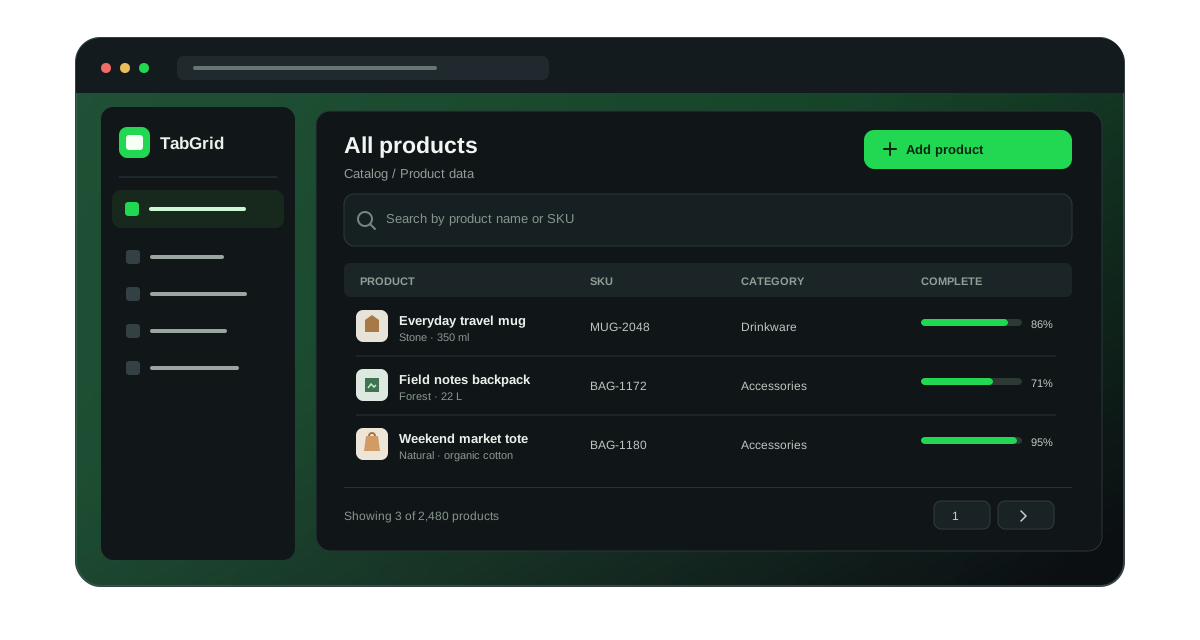
Tabgrid is an AI-native product information management (PIM) platform for ecommerce and catalog teams. It is a web application, used at app.tabgrid.io, where teams centralize product catalog data — identifiers, names, descriptions, images, categories, attributes, and translations — enrich it, review what is still incomplete, and prepare it for the channels they sell through. Tabgrid is operated by Kuna Tehnologije.
AI-native means the model works on structured product data, not on free text. Enrichment, classification, bulk edits, and translations are planned against the catalog model, presented as a preview, and written only after an explicit confirmation step. Tabgrid exposes that work to the model through a Model Context Protocol (MCP) tool interface with a closed set of catalog actions.
One shared source of product truth
Tabgrid is a product information management workspace for teams that need to organize, enrich, validate, and distribute catalog data. Its AI assistant and bounded task agent can help move repetitive work forward, while previews, explicit scope, and approval gates keep teams in control.
01 · Structure
Organize categories, attribute definitions, groups, and families around the way your catalog is managed.
02 · Enrich
Edit product copy, images, attributes, and language-specific content in a focused workspace.
03 · Prepare
Review completeness, the content SEO score, and publication readiness before product data moves to its next destination.
The catalog workbench
Work with product records and the supporting structure around them—without losing sight of the details that make a listing complete.
Keep identifiers, titles, descriptions, images, categories, and product attributes together in a searchable catalog.
Explore product featuresDefine attribute fields, group them for presentation, and use attribute families to describe the data a product type needs.
Learn the catalog basicsSelect products, let Tabgrid plan enrichment, classification, translation, or title and description edits, and review the preview before confirming.
Read the user guideReview completeness, the content SEO score, missing criteria, and publication-readiness reasons. Neither score publishes a product.
See the data-quality guideWork with language-specific product content and assisted translation workflows where those options are enabled for your workspace.
Explore localizationPreview CSV, Excel, JSON, XML, or an API, map fields, and reuse profiles. Publish a feed per destination from the same catalog.
Read about integrationsA workable path from raw data to ready listings
Use the same catalog foundation as work moves between product, commerce, and operations teams. The exact steps depend on your data and integrations.
Set up categories, attribute definitions, groups, and families for the product information you manage.
Preview a CSV, spreadsheet, JSON, XML, or API source, map columns to product fields, and check the identifier.
Edit records, link images from the asset library, improve localized content, and inspect completeness and the SEO score.
Use configured integrations and feed outputs, and follow background jobs as they process.
Connect your catalog
Start with file-based imports and field mapping. Where enabled and configured, connect external systems, manage feed outputs, and follow background jobs from the workspace. Connector availability and setup depend on your environment.
How imports and integrations workBuilt for shared catalog work
Maintain product descriptions, attributes, images, and localized details in a shared catalog.
Review completeness and prepare channel-specific product data for configured store feeds.
Build category trees and attribute structures that keep large assortments easier to navigate.
Map incoming files and APIs, publish a feed per channel, and monitor long-running import and sync jobs.
Clear answers about product information management, catalogs, imports, and getting started.
Tabgrid is an AI-native product information management (PIM) platform for ecommerce and catalog teams. It is used to organize, enrich, review, and prepare product catalog data — product identifiers, names, descriptions, images, categories, attributes, and translations — in one structured workspace at app.tabgrid.io. Tabgrid is operated by Kuna Tehnologije.
AI assistance is part of the catalog workflow rather than a separate add-on. Tabgrid can propose attribute enrichment, product classification, bulk edits to titles and descriptions, and translations. Proposed changes are planned first, shown as a preview, and written to the catalog only after an explicit confirmation step, so the catalog stays under human control.
Tabgrid task plans let an agent work through up to 20 ordered tasks against an explicitly selected product scope. Teams choose approval, bounded autonomous, or hybrid mode; supported actions and server-side gates constrain execution. Paid AI edits require approval to generate a proposal and a separate review before applying exact changes. The agent has no free-form database, browser, publishing, or delete tool.
Tabgrid is focused on manufacturers and distributors that manage large or complex product catalogs and regularly import supplier data. Catalog, product data, content, and integration teams can use the shared workspace to structure records, improve content, and prepare configured outputs.
It replaces scattered spreadsheets and per-channel exports with a single structured catalog. Teams map incoming supplier data to consistent fields, enrich and translate product content, check which products are still incomplete, and prepare product data for configured downstream channels.
A product record can include identifiers, names, descriptions, categories, images, attributes, and language-specific content, depending on your workspace configuration.
Yes. Preview CSV, Excel (XLSX and XLS), JSON, or XML, map source fields to catalog fields, and save the mapping for the next file. An authenticated HTTPS API can be imported the same way, with the paging that source uses.
Completeness is a percentage of the data the record is expected to hold: attributes, description, images, translations, category, and a PDF. A separate content SEO score checks the title, title length, description length, images, and attributes. Publication readiness is a third check. None of these numbers publishes the product by itself.
The default language owns the canonical title and description. Other languages are translations and do not overwrite it. Category and attribute labels can be translated too. Assisted translation, where enabled, is planned and confirmed before it is written.
Where enabled, the task planner can run up to 20 supported tasks in sequence for a defined product scope. Plans can use approval, bounded autonomous, or hybrid mode. Autonomous mode requires authorization of the exact saved plan and product scope; paid AI changes still require separate proposal-generation and apply approvals.
Where the media library is enabled, teams can browse configured folders and select existing images, videos, or PDF files for one product or a bulk product action. Review the target products before confirming a bulk change.
The Reporting module can export date-ranged feed delivery activity to an Excel workbook in configured private object storage and schedule sales imports from connected stores or a mapped HTTPS JSON API. Available sources, event history, and setup depend on the workspace.
Bring data in from a file or an authenticated API, and send it out as a feed per destination. A feed can carry partner-specific prices when custom pricing is on. A named store or marketplace connector is available when that workspace has it configured. A custom system can read the same feed.
The Free plan is free for catalogs of up to 1,000 products; contact the Tabgrid team to request a free account, with no demo required. You can separately request a demo to see the workspace. Existing users can sign in at app.tabgrid.io.
Plans are grouped by product count: Free covers 0–1,000, Starter 1,001–20,000, Scale 20,001–100,000, and Enterprise 100,001 or more. The Free plan is free, and you can request a free account directly without a demo. Contact the team about paid-plan requirements and availability; Enterprise uses an isolated instance.
Yes. Use the newsletter page to opt in with your email address. Subscription details are stored for future updates; automated newsletters are not being sent yet.
Make your catalog easier to work with
Tell us about your catalog, your current systems, and what your team needs to get done.